
Staying Connected: eSIM, Local SIM and the VPN Reality in Xinjiang
China runs its own internet, and Xinjiang is no exception. You can stay perfectly connected — maps, payments, translation all need data — but the assumptions from home do not apply, and planning ahead is the difference between seamless and stranded.
eSIM vs local SIM
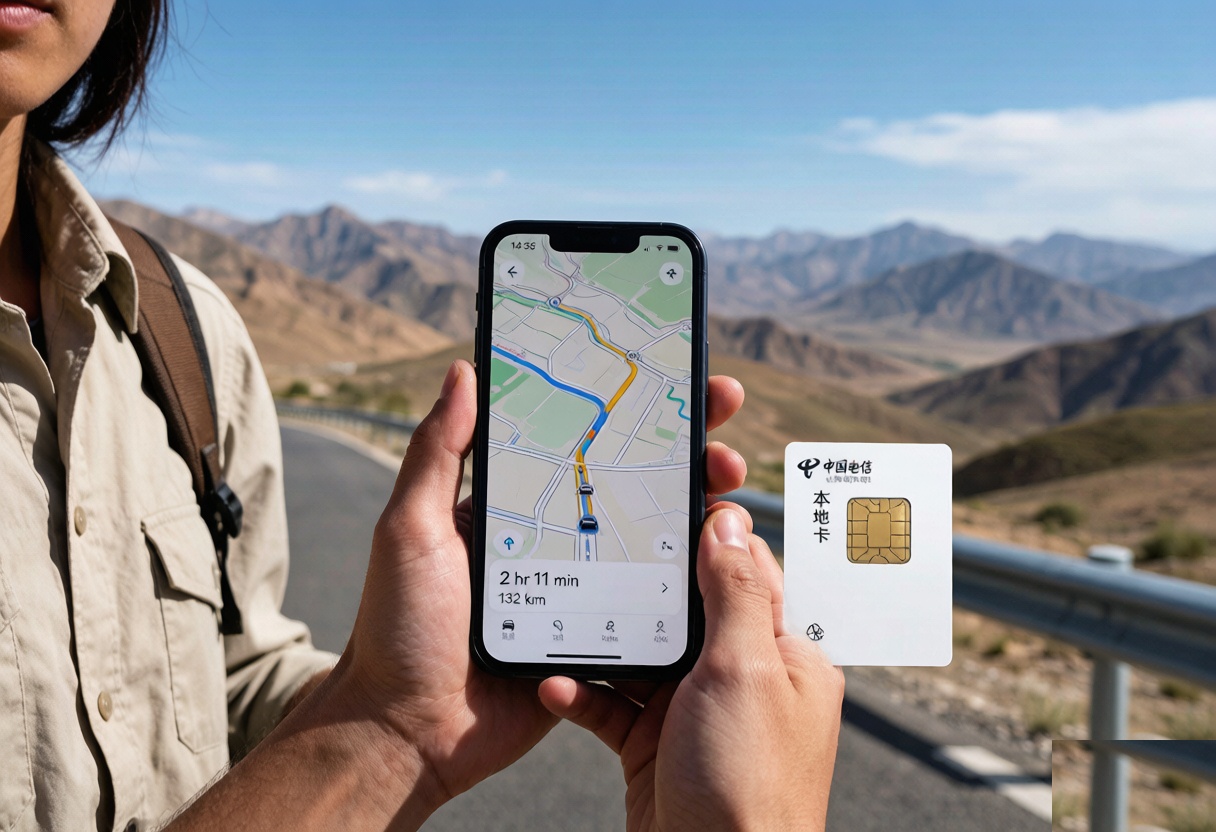
International eSIMs (Airalo, Holafly and the like) work for data but are pricey and sometimes throttled. A local SIM from China Mobile, Unicom or Telecom gives you a Chinese number, cheap data, and access to local apps. The catch: buying one usually requires passport registration at an operator shop, which our hotel-booking guide touches on for check-ins and registrations.
The app stack that needs data
- WeChat / Alipay — payments and more; our payments guide explains setup and why a local number helps.
- Amap (高德) — the navigation app that actually works here; download offline regions first.
- Translation and ride apps — all data-hungry, all essential.
The VPN reality, honestly
Most Western VPNs do not function reliably in mainland China, and I will not advise working around that. Instead, plan to live inside the local ecosystem: maps, payments and communication all have Chinese equivalents that work well. Our offline-maps guide is the real key — download everything before you leave wifi, and the lack of your usual apps stops mattering.
My setup
I arrive with an eSIM as backup, buy a local SIM in Urumqi for the month, and pre-load offline maps for every region I will drive. That trio has never left me stranded, even on the northern loops where signal vanishes for hours at a time. Connectivity in Xinjiang is a solved problem; it just takes a different toolkit than home.
How much data you actually need
Maps and translation eat the most. For a two-week trip with daily navigation, 10–20 GB is comfortable; a local SIM with a monthly plan is far cheaper than roaming. Download offline map regions before you leave wifi so a dead spot on the Sayram loop never strands you. Streaming is the luxury to skip.
One setup that always works
I keep the eSIM for the airport and arrival, then buy a local SIM in Urumqi for the bulk of the trip, then run Amap and WeChat off the local data. The eSIM is the safety net if the local shop is closed on arrival. This combination has never left me offline when it mattered, and it keeps payments and maps running through the remote stretches.
What goes in the day pack
The light here is serious and the shade is intermittent, so the sunscreen goes on before you leave the hotel, not at the gate. A wind shell. The temperature drops fast once you stop moving and the drop is not hypothetical on an exposed pass. A fleece covers most of the year, a real jacket covers shoulder season.
Water, more than you think, a power bank and some cash. Cards work at the gate and in the shops, but the stalls on the approach road and the drivers waiting at the turnoff want cash, and coming up short at the moment you want a lift is the classic way to lose an hour. Sunscreen and a brim. That stretch of the trip is described in our [[internet-sim-apps-in-china-staying-connected-in-xinjiang|Internet, SIM & Apps in China: Staying…]] too.
The mistake I made the first time
It was, in the sense that I saw everything, and it was ruined in the sense that I saw everything at the same hour with the same crowd, and I spent the drive home meaning to come back and never did. I assumed two hours would be plenty. What I would tell the version of me who planned it: put the slow hours in, not the fast ones. The whole point of coming this far is to have the place to yourself for a while, and that only happens if you are willing to be there when it opens or when it is nearly shut. I did come back the following trip, at seven in the morning, and it was a different site.
The other mistake is about distance on the map. The gate is not the site. There is a shuttle, a walk, sometimes another shuttle, and the stretch everybody underestimates is between the second gate and the thing you crossed the country to see. So: work out how far it is from where the vehicle drops you to the feature, then double it. That is the number of hours the visit needs.
If the timing is the question, our [[how-to-go-to-xinjiang|How to Get to Xinjiang: Entry Requirements…]] goes through it properly.
eSIM, physical SIM, and the airport counter
For most visitors the easy path is an eSIM bought before you fly, or a physical SIM at the airport arrivals hall — China Mobile and China Unicom both have counters and the staff have done this with foreigners before. I carry a phone that takes a physical SIM as backup. The catch is coverage: the plains and cities are fine, but the deep mountain loops (Kanas, the Pamir, remote Tianshan) drop to nothing for hours, so I download offline maps for the whole route before I leave wifi and treat signal as a bonus, not a given.
One honest warning on apps
Plan to be without your normal map and chat apps the moment you land — many don’t work without a workaround, and the workarounds are unreliable. Set up everything you’ll need (maps, translation, hotel bookings, offline docs) before you arrive, and learn the local apps’ English mode or a translation trick. I keep a screenshot of every key address in Chinese and a notes file of booking references, because the day you most need signal is the day you have none.